
Download Idyllic – AI Art Generator for Book Covers, Movie Posters & Anime Avatars
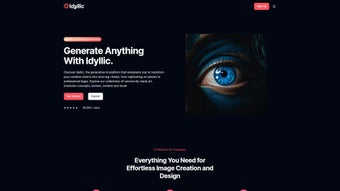
Unlock your creativity with Idyllic, the innovative web-based AI platform that turns your ideas into stunning visuals in seconds. Whether you're an indie author, a game designer, or a social media enthusiast, Idyllic delivers professional-grade artwork using cutting-edge generative AI. From eye-catching book covers and cinematic movie posters to expressive anime profile pictures, this tool simplifies complex design tasks with intuitive controls and customizable templates.
Designed for both beginners and professionals, Idyllic eliminates the need for expensive design software or advanced skills. With features like AI-powered image generation, real-time previews, and a library of niche templates, Idyllic is your all-in-one creative companion. Best of all, it's accessible from any device with a browser—no downloads required.
Experience the future of visual content creation with a secure, subscription-based service that keeps your projects fresh and inspiring.
Key Features of Idyllic AI
Idyllic AI stands out in the crowded world of generative design tools by offering a suite of specialized, AI-driven features tailored to specific creative needs. One of its most powerful tools is the AI Book Cover Creator, which allows authors and publishers to generate compelling, market-ready covers with just a few text prompts. Whether you're writing a fantasy novel, a romance, or a sci-fi thriller, Idyllic’s AI analyzes genre-specific aesthetics and applies them to produce visually cohesive and professional designs.
The platform also includes an AI Movie Poster Generator, perfect for filmmakers, YouTubers, or fans creating fan art. With customizable elements like taglines, character names, and cinematic color palettes, users can simulate the look of blockbuster releases. For anime lovers and social media users, the Anime Profile Picture Creator delivers unique, stylized avatars that reflect individual personalities and preferences.
Beyond these standout tools, Idyllic offers architecture visualization templates ideal for real estate marketers and architects, as well as Fortnite merchandise design features for gamers and content creators. Each tool is built with a user-friendly interface that guides users through the process with drag-and-drop simplicity and real-time previews. The AI adapts to your input, refining outputs based on style, mood, and context.
Additionally, Idyllic supports high-resolution exports, ensuring your visuals are print-ready or web-optimized. With regular updates and new templates added monthly, the platform evolves with creative trends, keeping your content fresh and relevant.
How to Use Idyllic: Simple Steps for Stunning Results
Getting started with Idyllic is effortless, thanks to its browser-based design and intuitive workflow. To begin, visit the official website and sign up for a free trial or choose a subscription plan that fits your creative goals. Once logged in, you’ll be greeted by a clean dashboard that organizes your projects and highlights the most popular tools.
Select the feature you want to use—say, the AI Book Cover Creator. Enter a brief description of your book: include the genre, main themes, and any visual references (e.g., “dark fantasy with dragons and ancient ruins”). Idyllic’s AI processes your input and generates multiple cover variations within seconds.
You can then tweak the design by adjusting style parameters—such as “dramatic lighting,” “vintage texture,” or “minimalist layout”—or by selecting from a curated library of fonts and color schemes. Once satisfied, download your cover in high resolution for use in print or digital platforms. The AI Movie Poster Generator follows a similar process: input your movie title, genre, and key characters, and the AI constructs a cinematic layout with dynamic composition and atmospheric effects.
For anime avatars, you can choose from predefined styles (e.g., shonen, shojo, cyberpunk) or upload a reference image for a personalized touch. All tools support real-time editing, so you can experiment freely without losing progress. Idyllic also allows you to save and organize your projects, making it easy to revisit and modify designs later.
With no software installation required, you can access your work from any device—Windows, Mac, Android, or iOS—ensuring seamless creativity on the go.
Compatibility & System Requirements
Idyllic is a cloud-based platform, meaning it runs entirely in your web browser—no installation or system-specific software is needed. This makes it compatible with virtually any modern device, including Windows PCs, Mac computers, Android tablets, and iOS smartphones. As long as your device has a stable internet connection and a supported browser—such as Chrome, Firefox, Safari, or Edge—you can use Idyllic with ease.
The platform is optimized for both desktop and mobile use, with responsive design elements that adapt to different screen sizes. This flexibility is ideal for creatives who work across multiple devices or prefer to brainstorm and design on the go. While the tool doesn’t require powerful hardware, a fast internet connection ensures quicker AI processing and smoother user experience.
Idyllic also supports high-resolution image exports (up to 4K), making it suitable for professional printing, social media campaigns, and digital publishing. For users concerned about data security, Idyllic employs end-to-end encryption and complies with GDPR standards, ensuring your creative projects remain private and protected. The platform regularly updates its AI models to improve image quality, reduce artifacts, and expand stylistic capabilities.
With no need to worry about software updates or compatibility issues, Idyllic delivers a hassle-free experience across all platforms.
Pros and Cons of Idyllic AI
- Pros:
- Specialized tools for niche creative needs like book covers, movie posters, and anime avatars.
- High-quality AI-generated visuals with realistic textures and cinematic depth.
- Web-based access—no downloads or installations required.
- Intuitive interface suitable for beginners and pros alike.
- Regular updates with new templates and AI improvements.
- Secure, GDPR-compliant platform with encrypted data storage.
- Export in high resolution (up to 4K) for professional use.
- Cons:
- Subscription-based model—no permanent free version.
- Dependent on internet connection for full functionality.
- Advanced features may require higher-tier plans.
- Occasional AI artifacts in highly complex prompts.
- Limited offline capabilities.
Frequently Asked Questions (FAQ)
-
Is Idyllic free to use?
Idyllic offers a free trial with limited features and monthly credits. After the trial, users must subscribe to continue using the full suite of tools. While there’s no permanent free version, the trial allows you to test the platform’s capabilities before committing.
-
Can I use Idyllic on my iPhone or Android device?
Yes, Idyllic is fully compatible with iOS and Android devices. Simply open your browser and visit the website to start creating visuals on the go.
-
What file formats does Idyllic support for downloads?
Idyllic allows you to download your creations in PNG, JPEG, and WebP formats, with support for high-resolution exports up to 4K.
-
Does Idyllic offer templates for commercial use?
Yes, all generated images are licensed for commercial use under the subscription plan, making them ideal for book publishing, marketing, and merchandise.
-
How often does Idyllic update its AI models?
Idyllic updates its AI models and adds new templates monthly, ensuring users have access to the latest design trends and improved image quality.
Final Verdict: Is Idyllic Worth It?
If you’re looking for a powerful, accessible, and feature-rich AI art generator, Idyllic is a top contender. Its specialized tools for book covers, movie posters, and anime avatars make it uniquely suited for creatives across multiple industries—from indie authors and game developers to social media influencers. The platform’s web-based nature ensures instant access, while its secure infrastructure and regular updates keep your workflow smooth and future-ready.
Although it operates on a subscription model, the value delivered through high-quality outputs, time savings, and professional-grade results justifies the cost. Whether you're designing for personal enjoyment or professional projects, Idyllic empowers you to bring your vision to life with minimal effort. Don’t miss the chance to elevate your creative projects—download Idyllic today and unlock the full potential of AI-powered design.



.png)



